Blog
We Scanned Our Fleet for Vulnerabilities — Here's What We Found
Table of Contents
We ran our first fleet-wide vulnerability scan on a Tuesday afternoon. Six hosts, a mix of VMs and LXC containers. The report came back: 603 vulnerabilities. Twelve of them critical — including two OpenSSL issues with known exploits in the wild, sitting on our reverse proxy.
Everything was green in Grafana. Uptime was perfect. The remediation pipeline hadn’t missed an alert in weeks. None of that mattered — we had 603 blind spots we’d never checked for.
Why homelabs skip vulnerability scanning
Most self-hosters don’t scan for vulnerabilities. Not because they don’t care — because the tooling is built for enterprises with dedicated security teams and the output reads like a compliance report, not an action list.
You run a scanner. It dumps a 400-line CSV. Half are informational. A quarter involve packages you’ve never heard of. The ones that matter are buried in the middle, and you have no way to tell which are actually exploitable in your environment. So you close the terminal and go back to Portainer.
Vulnerabilities don’t go away because you stopped looking. Every unpatched host is a liability — not just to you, but to everything on your network that trusts it.
What a useful scanning pipeline looks like
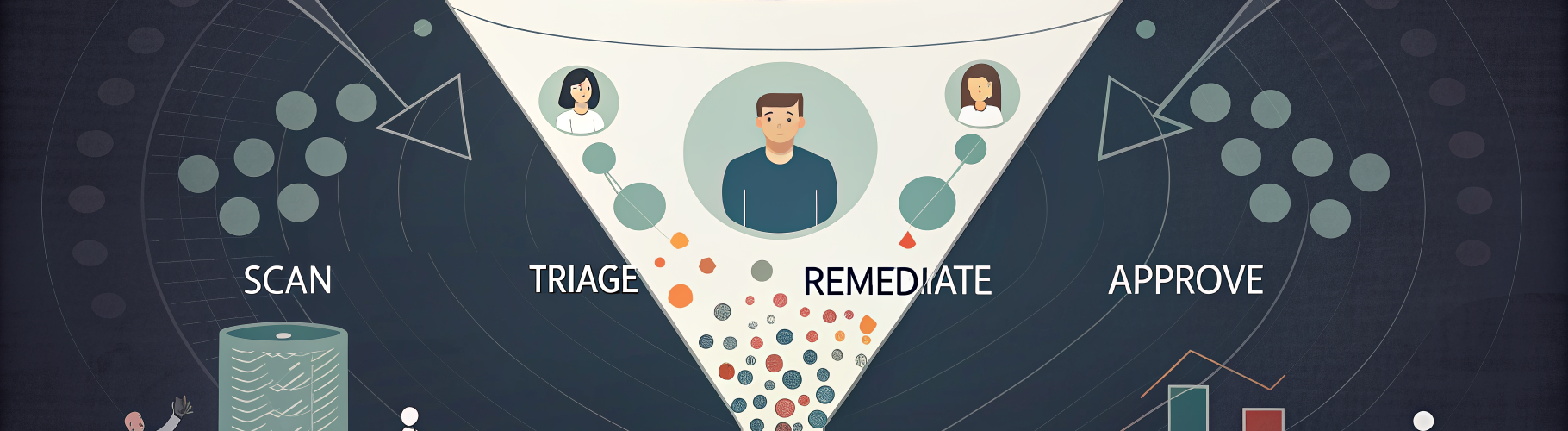
A vulnerability scan is only useful if it connects to action. Here is what we built.
Scans run on a schedule, not when someone remembers. Every host in the fleet gets checked regularly, and new vulnerabilities that appear in upstream databases get caught on the next cycle — not the next annual audit.
The scanner classifies each finding by severity. Critical and high vulnerabilities get flagged for immediate attention. Medium and low get tracked but don’t wake anyone up. When a critical vulnerability has a known fix — usually a package update — the system applies it automatically through the same Ansible-based remediation pipeline we use for everything else. Patch the package, verify the service still starts, confirm the CVE is resolved. No manual SSH required.
Not every fix should be automatic. Kernel updates, major version bumps, and anything that requires a reboot go through an approval gate. The system identifies the fix, queues it for review, and waits for a human to confirm. Automation handles the routine. Humans handle the judgment calls.
What 603 vulnerabilities actually looks like
Here is the breakdown from our first scan:
- Critical: 12 vulnerabilities across 3 hosts. Mostly outdated OpenSSL and kernel-level issues with known exploits in the wild.
- High: 47 vulnerabilities. A mix of library versions, container base image issues, and a few Docker-related CVEs.
- Medium: 189 vulnerabilities. The bulk of these were informational — deprecated cipher suites, TLS configuration warnings, packages with theoretical (but not practically exploitable) issues.
- Low: 355 vulnerabilities. Noise, mostly. Important to track over time, but not actionable today.
The critical and high categories got handled within hours. The medium tier is being worked through methodically. The low tier exists in a tracking database so we can see trends over time.
The important part: before the scan, we had zero visibility into any of this. After the scan, we had a prioritized list and a remediation path for every item.
What you can do today (without OpsKern)
You don’t need a managed service to start scanning. Here are three things you can do this weekend:
1. Run Trivy on your Docker hosts. Trivy is free, open-source, and dead simple. Install it and scan every container image you are running. You will be surprised.
2. Check your base OS packages. On Debian/Ubuntu, list upgradable packages. On RHEL/Fedora, check security update info. These commands show you what security patches are available and waiting.
3. Automate the check, even if you don’t automate the fix. A cron job that runs a scan weekly and dumps the results to a file is better than no scanning at all. You can graduate to automated remediation later. Visibility comes first.
The real ROI of vulnerability management
The value of vulnerability scanning is not in the scan itself. It is in the delta between what you thought your security posture was and what it actually is.
Most homelabs assume they are “probably fine” because nothing bad has happened yet. That is survivorship bias, not security. The scan replaces the assumption with data, and data is something you can act on.
We are building vulnerability management into every OpsKern managed plan. If you are running infrastructure — homelab or small business — and you have never scanned it, the first scan is always the most educational. Start there.