Blog
My Homelab Fixes Itself — Here's the Ansible Setup
Table of Contents
Editor’s note (March 2026): Since this post was published, the “200-line Python bridge” has grown into a full operations agent — 94 alert rules, 41 automated remediations, vulnerability scanning, config drift detection, three-tier approval gates, and Slack integration. The repo has been renamed to ops-kernel-stack. The architecture described below still forms the core of the system; everything else is layers on top.
At 2am last Tuesday, one of my Docker containers crashed. I know because ntfy pinged my phone. I also know because ntfy pinged my phone again 47 seconds later to tell me it had already fixed itself.
I did not wake up. I did not SSH in. I did not do anything.
This is the thing I’m most proud of in my homelab, and I want to show you exactly how it works.
The problem with self-hosted infrastructure
When you run your own services, things break. Containers crash. Disks fill up. Services fail after updates. This is the maintenance tax of self-hosting: you traded a monthly SaaS fee for an on-call rotation you didn’t sign up for.
The standard homelab answer is Uptime Kuma — a dashboard that tells you something is down. The problem with Uptime Kuma is it still requires you to fix the thing. You’re the pager, and you’re also the on-call engineer.
What I wanted was something that closed the loop: detect the problem, run the fix, tell me what happened. No AI, no complexity, no cloud dependency. Just deterministic automation that runs while I sleep.
What I built

The stack has four pieces:
1. Prometheus + node_exporter — metrics from every host. CPU, memory, disk, systemd service state, Docker container health. One playbook deploys node_exporter to the entire fleet.
2. Alertmanager — when Prometheus sees something wrong, Alertmanager fires. I have rules for disk > 85%, systemd service failed, container not running, TLS cert expiring soon.
3. The remediation bridge — this is the interesting part. A small FastAPI service running on my Ansible control node. When Alertmanager sends a webhook, the bridge looks up the alert name in a YAML map, picks the right Ansible playbook, runs it against the affected host, and sends a notification with the result.
4. Ansible remediation playbooks — one-shot playbooks for each failure mode: restart a container, restart a service, clean disk space, reload Caddy. These are the actual fixes.
Here’s the loop:
Container crashes
      |
      v
Prometheus detects (container health check fails)
      |
      v
Alertmanager fires ContainerDown alert
      |
      v
Remediation bridge receives webhook at :9999/hook
      |
      v
Looks up "ContainerDown" in remediation-map.yml
      -> playbook: remediation/restart-container.yml
      -> cooldown: 10 minutes
      |
      v
ansible-playbook remediation/restart-container.yml --limit docker-host -e container_name=...
      |
      v
ntfy: "Auto-remediated: ContainerDown (container restarted on docker-host)"
Total time from crash to fix: under 60 seconds.
The remediation map
The bridge uses a YAML config file to map alert names to playbooks. Adding a new remediation is just adding a few lines — no code changes, no restart required:
mappings:

  ContainerDown:
    playbook: remediation/restart-container.yml
    cooldown_minutes: 10

  DiskSpaceHigh:
    playbook: remediation/cleanup-disk.yml
    cooldown_minutes: 60

  SystemdServiceFailed:
    playbook: remediation/service-restart.yml
    cooldown_minutes: 15

  TLSCertExpiringSoon:
    playbook: remediation/caddy-reload.yml
    cooldown_minutes: 360
The cooldown prevents remediation loops. If a container keeps crashing every 2 minutes (OOM kill, bad config), the bridge runs the fix once and then backs off for the cooldown window. You get a failure notification for the second crash — that one needs a human.
Why Ansible and not an AI agent?
I tried an AI-based approach first. The idea was appealing: describe the problem in natural language, let the agent figure out the fix. In practice, it was slower, less reliable, and required internet access. For a homelab that’s supposed to run independently of external services, that’s a problem.
Ansible playbooks are deterministic. They do exactly what they say, every time, in the same
order. I can --check them before deploying, I can read them in five minutes, I can run them
manually when I want. There’s no reasoning step that might produce a different answer on a
Tuesday.
The bridge runs entirely on-premises. No tokens, no API calls, no LLM in the loop. It reads a YAML file, runs a command, sends a notification. The entire codebase is about 200 lines of Python.
The backup side
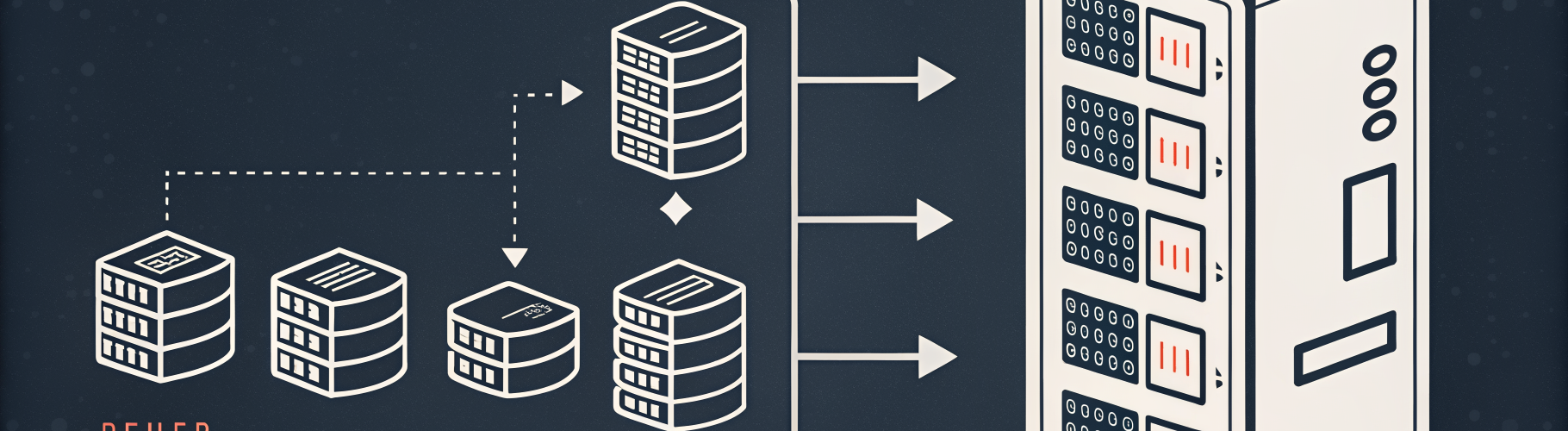
While I was at it, I also automated the part of homelab ownership nobody talks about: backups you can actually trust.
Restic on every host. SFTP target on my NAS. Systemd timers staggered across the fleet so they don’t all hammer the NAS simultaneously. Prune policies so the repo doesn’t grow forever. Repository integrity checks on a schedule.
One playbook deploys this to every host in the backup_servers group. Exit code 3 (some
files skipped — normal for non-root) is treated as success. The logs go to journald.
I’ve tested restores. That’s the only part that matters.
The full stack
Everything in this setup is driven by Ansible playbooks:
| What | Playbook |
|---|---|
| Restic backups | deploy-restic-fleet.yml |
| Prometheus node_exporter | deploy-node-exporter.yml |
| Loki log aggregation | deploy-loki.yml |
| Promtail log shipper (fleet) | deploy-promtail-fleet.yml |
| Remediation bridge | deploy-remediation-bridge.yml |
No hardcoded IPs. No Wyrdix-specific anything. The whole thing is parameterized — swap in your hostnames, your NAS IP, your ntfy server, and it deploys.
All playbooks are --check safe. All tasks are tagged. You can run just the configure
tag to push a config change without touching the install steps.
Get it
The full collection is on GitHub: ops-kernel-stack
If you want the companion guide — the why behind every design decision, plus chapters on Proxmox provisioning, BIND9 DNS, Caddy + TLS, and a full walkthrough of building the remediation bridge from scratch — I’m working on that now.
Get the free getting started guide — a walkthrough that takes you from zero to a working Ansible homelab. Subscribe for a note when the full book is ready.
What I’d do differently
The bridge is in-memory for cooldown tracking. If the service restarts, the cooldown resets. For my use case this is fine — the scenarios where the service itself crashes are rare enough that a false double-remediation isn’t a problem. For a higher-stakes setup, persist the cooldowns to a file or SQLite.
The alerting rules are simple threshold-based. Smarter anomaly detection (rate of change, multi-signal correlation) would reduce false positives. Not worth it for a homelab.
Questions? Open an issue on GitHub or email hello@opskern.io.